
The Deadline That Quietly Snuck Up on a Lot of Site Owners
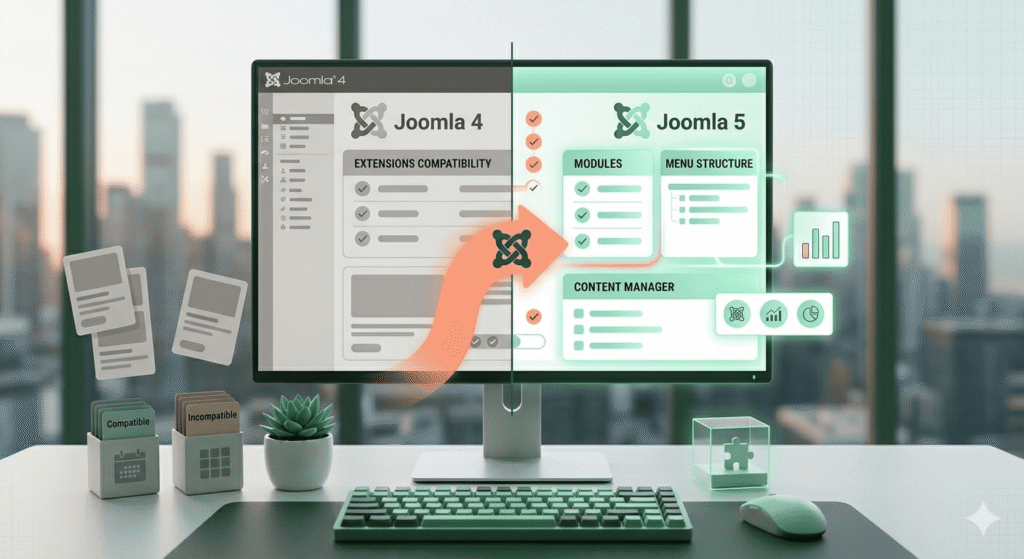
Joomla 4’s end of life arrived in late 2025, and for many small business owners running perfectly functional sites, the news landed somewhere between “mildly concerning” and “something I’ll deal with next month.” That reluctance is understandable. When a site is working, the motivation to touch it is low. But end-of-life status means no more security patches, no bug fixes, and a growing gap between where your site is and where the broader Joomla ecosystem is heading.
Heading into mid-2026, Joomla 5 migration has become one of the most actively discussed topics in Joomla developer communities. Forums are buzzing with migration checklists, compatibility warnings, and honest conversations about which extensions are ready and which ones aren’t. For small business owners trying to make sense of it all, the noise can feel overwhelming. This guide is meant to cut through some of that and give a grounded, realistic picture of what a Joomla upgrade actually looks like from the ground up.
What Actually Changed Between Joomla 4 and Joomla 5
Joomla 5 isn’t a radical departure from Joomla 4 in the way that, say, moving between major CMS platforms would be. The core experience is recognizable. But under the hood, the changes are meaningful.
Joomla 5 drops support for older PHP versions and requires PHP 8.1 or higher, which has implications for hosting environments that haven’t kept pace. It also introduces updated database requirements, tightens its use of modern coding standards, and deprecates a number of legacy APIs that older extensions relied on. That last point is where most of the real migration friction lives.
The [official Joomla 5 Migration Guide on Joomla.org](https://www.joomla.org/announcements/release-news/5900-joomla-5-migration-guide.html) provides a thorough technical overview of these changes and walks through the recommended upgrade path in detail. It’s a genuinely useful document, though it’s written with developers in mind. Small business owners without a technical background will likely need someone to interpret and implement it for them.
The Extension Compatibility Problem Is Real
If there’s one thing worth flagging clearly, it’s this: Joomla extensions are the most common source of migration headaches, and the situation is still actively evolving.
Many popular extensions that work smoothly on Joomla 4 have not yet released Joomla 5-compatible versions. Some developers have updated their extensions promptly. Others are still working on it. And some smaller or older extensions have been quietly abandoned, with no Joomla 5 version on the horizon at all.
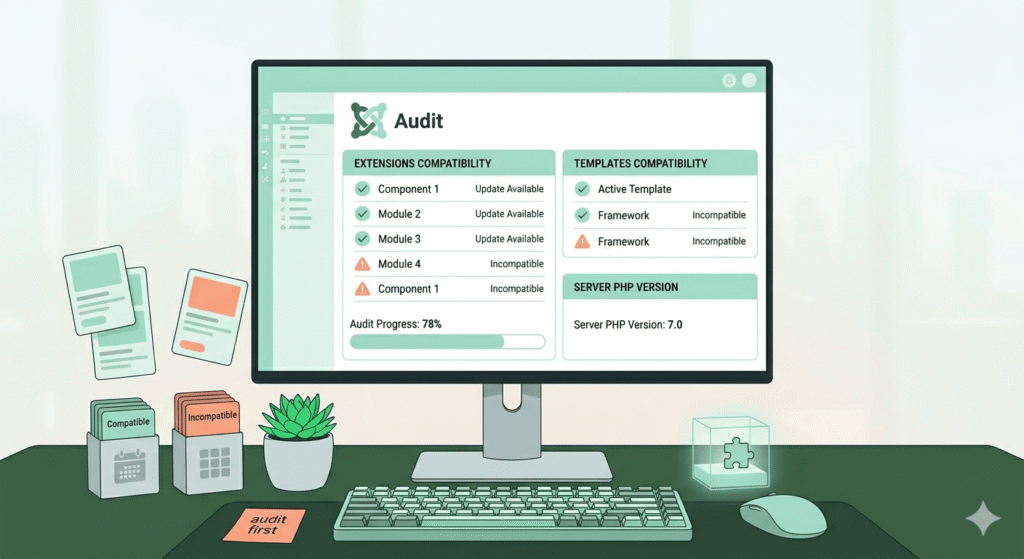
Before any Joomla small business site migration begins, a full extension audit is essential. That means going through every installed extension (components, modules, plugins) and checking whether a Joomla 5-compatible version exists. The Joomla Extensions Directory is a starting point, but developer changelogs and support forums often give a more accurate and current picture.
Where a compatible update exists, the path forward is straightforward. Where it doesn’t, the options are to wait, find an alternative extension, or in some cases, go without that functionality entirely. None of those are automatically bad outcomes, but they do require a decision.
Template Changes Deserve Their Own Conversation
Templates are the other significant friction point, and they tend to catch people off guard.
Joomla 5 ships with Cassiopeia as the default front-end template, which was introduced in Joomla 4. So sites already using Cassiopeia are in better shape. But many small business sites, especially those built a few years ago, are running third-party commercial templates that may not have been updated for Joomla 5 compatibility.
Even when a template provider has released a Joomla 5 version, the update isn’t always a clean in-place swap. Template structures, CSS frameworks, and override systems have shifted enough that customizations made to an older template sometimes need to be rebuilt rather than simply carried over. For sites with significant design customization, this is worth budgeting time and resources for upfront rather than discovering mid-migration.
The good news is that Joomla 5’s template system is genuinely more capable than its predecessors, and well-maintained commercial templates are increasingly well-suited to it. The investment in getting a site properly onto a Joomla 5-compatible template tends to pay off in stability and performance.
A Realistic Migration Checklist for Small Business Sites
For anyone starting to plan a Joomla upgrade, here’s a practical sequence that tends to produce smoother results:
- Start with a full backup: This should go without saying, but a complete, verified backup of both the files and the database is non-negotiable before anything else happens.
- Audit all extensions: List every installed extension and check its Joomla 5 compatibility status. Flag anything without a confirmed compatible version and make a plan for each one.
- Check your hosting environment: Confirm that your hosting environment supports PHP 8.1 or higher and meets Joomla 5’s database requirements. Not all hosting accounts are automatically updated, and this step catches problems before they cause downtime.
- Test on a staging environment: A staging or development copy of the site is the right place to work through the migration before touching the live site. Most quality hosting providers offer staging environments, and this step alone prevents the majority of migration disasters.
- Run the Joomla upgrade: Joomla provides an upgrade path tool that handles much of the process. Following the official migration guide closely here is worth the time.
- Test everything thoroughly after migration: Forms, checkout flows, contact pages, membership areas, navigation, and any custom functionality should all be checked manually. Automated tools catch some issues, but nothing replaces actually walking through the site as a user would.
- Update or replace any extensions that didn’t survive the upgrade: Some extensions will need attention post-migration. Work through the list systematically.
Timing Matters More Than Speed
One pattern that comes up repeatedly in Joomla community discussions is the tension between moving quickly and moving carefully. Joomla 4 end-of-life status creates real urgency, but rushing a migration on a live business site creates its own set of risks.
For most small business sites, the right approach is planned and methodical rather than fast. That means scheduling the migration during a lower-traffic window, communicating with customers if any downtime is expected, and not cutting corners on the staging and testing phases. A site that’s temporarily on an unsupported Joomla version while a migration is carefully prepared is generally a better outcome than a live site that’s been hastily upgraded and is now broken in ways that affect customers.
At Sweet Mint Studio, we’ve seen this play out more than once, and the sites that migrate smoothly are almost always the ones where someone took the time to understand the full picture before clicking “upgrade.”
The Bigger Picture
Joomla has been powering websites for nearly two decades, and its community remains one of the more thoughtful and generous ones in the open-source world. Joomla 5 is a genuinely solid platform, and the migration path, while not frictionless, is well-documented and achievable for most small business sites with the right preparation.
The sites that will have the hardest time are those running heavily customized setups with extensions that haven’t been maintained, or those built on templates from developers who’ve moved on. For those situations, a migration becomes less of an upgrade and more of a rebuild, which is actually an opportunity to end up with something cleaner and more modern than what was there before.
The Joomla ecosystem is moving forward. For small business owners still sitting on Joomla 4, the question isn’t really whether to migrate, but how to do it in a way that doesn’t disrupt th